
AI: Working out daily with AI and AI Agents. AI-RTZ #1054

The Bigger Picture
Mainstream folk worldwide, are at a fork in the road. Being inundated with all things AI every day, and trying to figure out IF and HOW to make it a part of daily life and work. While the coders and VCs seem to be having all the fun.
So this Sunday’s Bigger Picture is a bit different than our usual fare.
It’s introducing an experiential account of how useful or not I’m finding the latest AI Agents like Anthropic’s runaway success Claude Cowork built off its very successful Claude Code, and others. In my daily work. And what tips and tricks might be useful for regular folks amongst you, who are not software developers and really early adopters. Let’s get started.
I’m not a software developer. I’m an ex-Goldman Sachs Partner, and Internet Equities Research analyst, writer, investor, advisor, a daily AI podcaster, and a self-taught tech geek on all things software and hardware. From the early 80s at the dawn of the PC, to the dawn of AI today.
All since starting at Goldman Sachs in 1982. Happily coincident with the dawn of the PC and a business era empowered by computers, later the internet, and now AI.
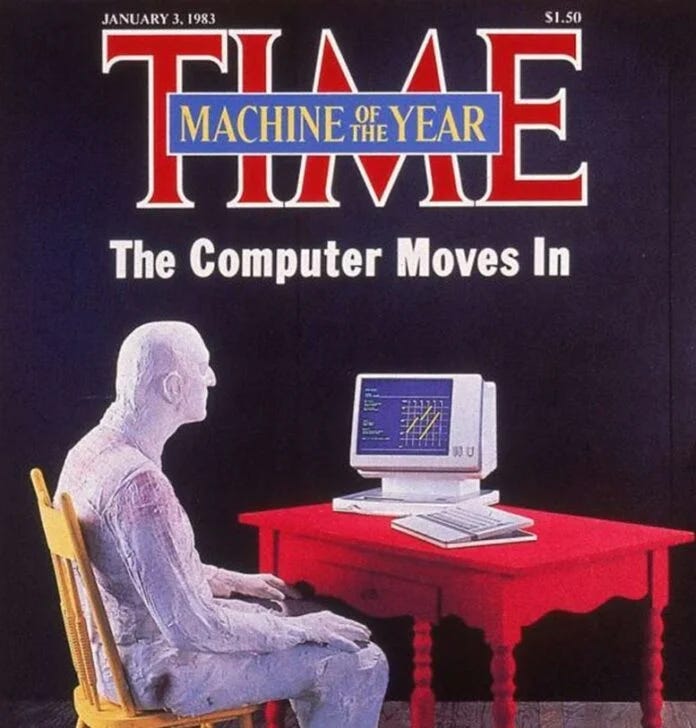
And I’m an obsessive internet, research, and book reader. Also a compulsive phone and computer, screenshot-taker of data around my attention span.
For the past several weeks I’ve been heavily using Anthropic’s Claude Cowork mode as my primary AI enhanced work environment — not just a curious tech tool.
Along with Google’s Gemini, OpenAI’s ChatGPT, and Perplexity’s AI Computer. All at their max and ultra subscriptions of over $200/month each. Side note, you don’t need the top tiers to get started. The free and basic subscriptions are fine to get started. I use the top-tiers after weeks of getting value from the AI systems and augmented workflow.
Across my desktop, laptop, mobile, tablet, and AI wearable environments. As a life-time gadget fan, I have dozens of devices and gizmos. You don’t need a whole lot of devices by the way. Can get started on a current Mac or Windows computer. And apps on an iPhone or Android phone.
I did all the above, to get a true sense of what’s hype, what’s working, and what has some ways to go. Using lots of AI Tokens.
All done with a glinty eye on my prime rule of working with AI. Don’t anthropomorphize ‘artificial intelligence’ and don’t humanize it. It’s my version of Isaac Asimov’s three laws for robotics. I instruct the AIs I work with on this hard rule from the start. It’s helpful as you’ll see when we get to my 10 key takeaways below.
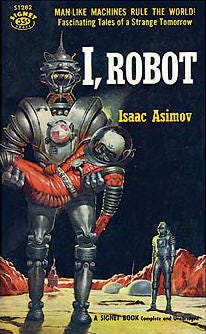
I work with it like the fictional denizens of ‘Star Trek’ from the sixties. As software and mathematics driven collaborators called ‘Computer’. What I call my Amazon Alexa/Echo devices around me when given a renaming choice.
So as stated above, this Sunday’s Bigger Picture, is the quick version of that cognitively intense experience. Translated into hopefully usable versions of what may be new AI-augmented daily habits for you all. Regular readers and watcher/listeners of AI-RTZ and daily podcast AI Ramblings (long and shorts).
Using it heavily and obsessively at the place I actually do work.
Here’s the good news and the mixed news. And why I’m excited about the better news ahead with AI and AI Agents in particular. And yes, we WILL need to build a parallel set of operating systems, and internet of their own.
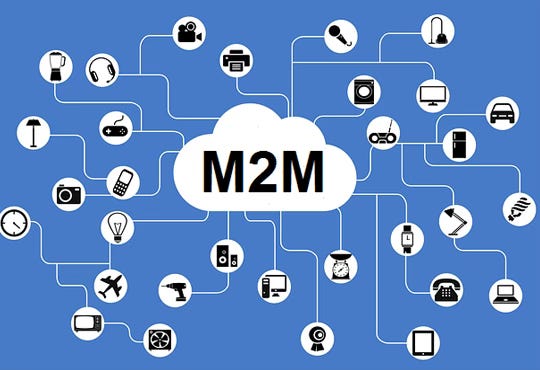
So far, even in its earliest days, these AI tools rapidly evolving from AI enhanced Search chatbots to nascent AI Agents, have truly helped me augment, align and amplify my every day work of input ideas into output ideas. They’ve truly surprised on the upside.
But there’s also a steep learning ramp. And a daily, increased mental cognitive load. It’s not all free of understanding deeper technology issues. Of how AI Agents have to contend constantly with an internet designed mostly for humans. I’ve written a lot about this. As we travel quickly from chatbots to AI Agents and beyond.

From our operating systems on our computers and smartphones, to the conventions and regulations that guide how our software applications designed for humans, have to contend with AI Agents knocking at their doors.
How to tell AI Bot friend from foe. The latest cybersecurity concerns raised by Anthropic and OpenAI on their next AI models Mythos and ‘Spud’ respectively are a vivid reminder. Not just boys crying wolf. It’s going to be a long and bumpy journey.

But definitely worth wading in for eager, earlier adopters. Which may be some of you. For the rest, you can still wait a bit longer for the AI Agent and Search products to be smoothened out. And made less technically challenging. And likely far more affordable.
A bit of broader context may be in order before we get into my personal experience, takeaways and tips. Below, and in pieces and podcasts to come.
To better understand the palpable euphoria around AI coding agents and tools for millions of software developers from Silicon Valley to Shenzhen. That’s OpenClaw OG developer Peter Steinberger waving in the sea of developers below. Who single-handedly kicked off the second euphoric user-facing AI wave three plus years after OpenAI’s ChatGPT.
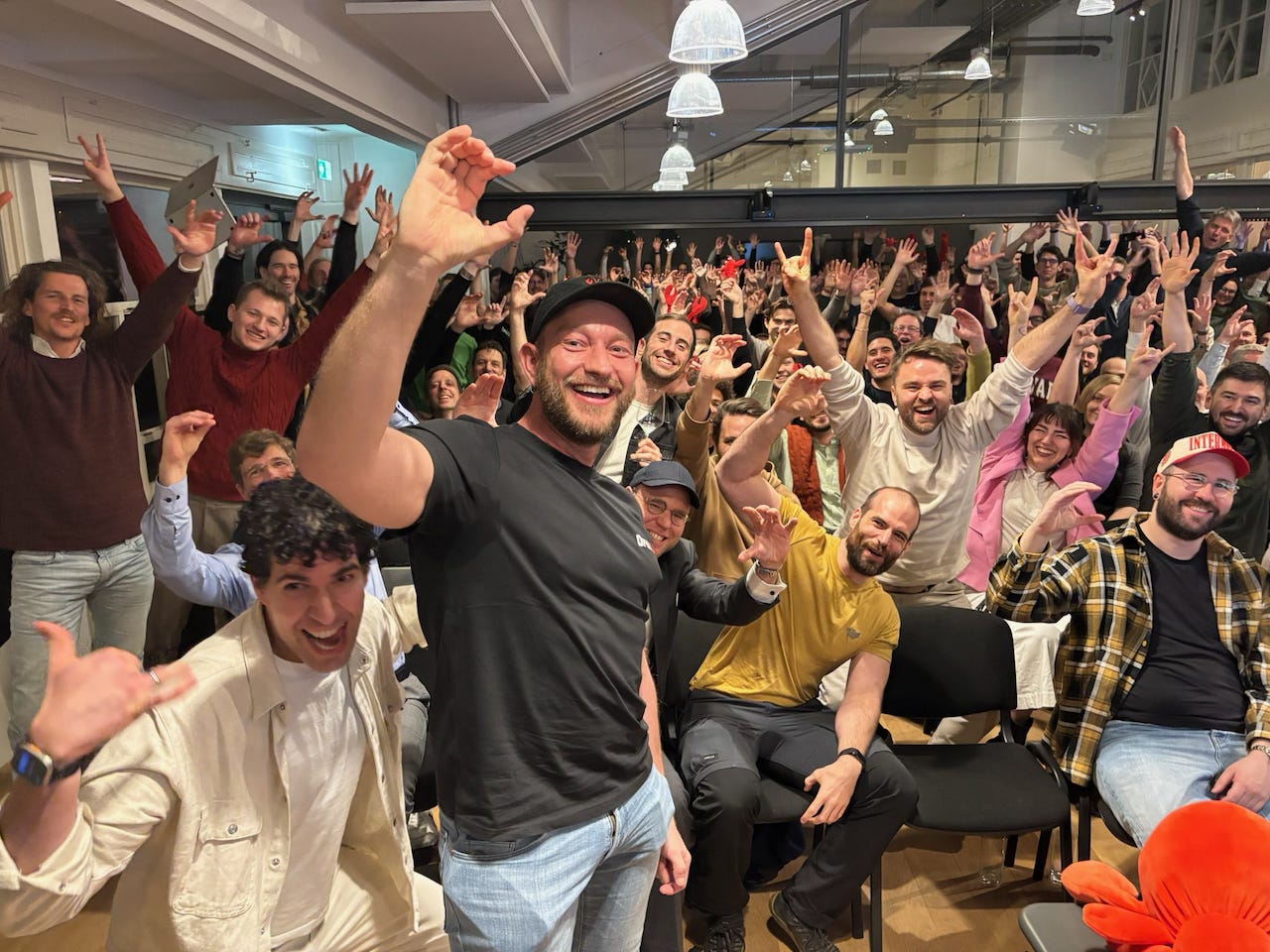
The perfect AI ‘product-market-fit’ around AI coding and AI Agents, discovered and crafted meticulously, by AI software entrepreneurs at Cursor, Anthropic, and Manus of China (now Meta). And OpenAI’s acquihired OpenClaw is key as well. The local open source, ‘vibe coded’, AI Agent invention and ‘acquihire’ addition. The last one driven by the ‘Be So Good, they can’t ignore you’ , OG coder from Austria, Peter Steinberger. Amongst many other developers and startups yet to come.
And of course the genius of adapting the year-old Anthropic Claude Code built for software developers by Anthropic’s Boris Cherny (a self-taught programmer) from Ukraine. Developing and leading Claude Code, which led to Anthropic’s Claude Cowork for regular folks. To do productive things with AI beyond AI search. And then its recent adaption to ‘Claude Managed Agents’, an OpenClaw inspired AI Agents tool, that can be run both locally and off the AI clouds to constantly do things for its non-coder users. In the billions eventually. But for now millions of early adopters. Like yours truly.
At pricing that starts from free to ‘kinda’ all you can eat’ $20/month to $200/month. to eventually ‘a la carte’, variable metered pricing of AI Compute that run into the thousands or more per month. That has now evolved into ‘Tokenmaxxing’ and ‘Claudeonomics’ amongst the software elites of silicon valley.
There’ll be longer posts later for people who want more details. These today, are the essentials from my perspective.
One note on language before we start. Again, my version of not anthropomorphizing AI as described above.
I don’t call AI tools “intelligent” or “thinking” or “reasoning.” I don’t call them my “assistant” or “collaborator.” They’re awesome at helping us intelligently think and reason. Especially by scouring mounds of boundless data for us and help build on the Isaac Newton’s On the Shoulders of Giants (OTSOG), as I’ve written about. They’re computer software tools that process input and produce output. Deterministic and Probabilistic computing, and everything hybrid in between. Here we go.
The ten lessons, each in one paragraph
-
Write a standing rulebook and point the tool at it every session. Don’t worry, Claude Cowork or the other AIs can help you set this up. But it needs to be done. Every new AI session starts without the context of your last one. The fix is a file — a Google Doc, a Word document, a plain text note, whatever — with your operating principles, priorities, private-content rules, and how-you-work notes. Put it where the tool will read it automatically at session start. Mine has my priority order (my work first, vendor defaults second), my Three A’s (Augment, Align, Amplify), my rules on what never leaks into published output, and my list of ongoing projects. The tool’s output is only as aligned to you as the context you give it. Write that context down once. The AI system you use will turn it into markdown (aka md) files, a faster way to read and write text information for the machine systems vs human oriented Word and Google docs.
-
Build an attention capture system before you build anything else. An AI tool that can help reason about your work is only useful if it can reach what you actually care about. Most people’s “work” is scattered across text messages to themselves, bookmarks, screenshots, saved articles, half-read tabs. Pick one destination and route everything there. I use must-have Apple apps like Notes. Also going back to third-party solutions like Notion — works on iPhone, Android, Mac, Windows, and the browser, has structured tags and filters, integrates with Cowork natively. Your capture discipline is the actual ceiling on what AI can do for you, not the model size.
-
Three clouds, not one. I use Google Drive for anything I need on Android and non-Apple/Mac environments. Apple iCloud for hot daily Mac and iOS-side production. Notion for structured knowledge I’ll want to query later. Each cloud has a role. The tool reads all three. A one-sentence routing rule saves dozens of decisions a day: “If I need it on my Android phone, it goes to Drive. Otherwise iCloud. If I’ll query it later, Notion.”
-
The AI tool has no cross-session memory today. Across vendors from Anthropic to OpenAI and everyone in between. Build a log file that bridges the gap. Every night an automated task summarizes the day’s Cowork sessions and appends them to a master log file. When I start a new session, the tool reads that log first. It walks in caught up. This is a workaround for a real product gap that Anthropic and others will fix eventually — but until they do, a DIY log is the fix. Works on Mac and Windows identically.
-
The tool will confidently produce wrong information. Anticipate and Plan for it. Current AI systems hallucinate most about fast-moving UI details and recent product changes. The fix isn’t “find a smarter system.” It’s: treat all UI-specific output as provisional, describe the screen back when you see something different, and reward graceful course-correction over stubborn insistence. This is the actual 2026 literacy skill — working productively with an imperfect tool, not waiting for a perfect one.
-
Different integrations have different speeds. Notice when you’re on the slow path. Direct file access is instant. Sub-100 milliseconds, not whole seconds and minutes. Official connectors (Gmail, Calendar, Notion) are fast. MCP plugins (model context protocol) are similarly fast. Browser control, typically via Google Chrome, is medium. Controlling native apps by clicking buttons one at a time is slow, even for the latest and greatest AI products like Claude Cowork and Google Gemini. You don’t need to understand why — you just need to notice when a task is taking longer than it should, and know to ask for the faster path.
-
Scheduled tasks are where the real shift happens. Most people use AI tools as a chat window. The actual unlock is configuring automated processes that run without you — morning news scans, nightly drafts, weekly summaries. These AI systems, contrary to popular belief, are not sitting there ‘thinking’ about you and your needs every day. You have to schedule the tasks. Proactively. Like a Kitchen Timer. Then the AI systems react and do things for you ‘automagically’. Each takes about ten minutes to set up. The mental shift is from “chatbot I ask things” to “a set of processes running on my behalf while I sleep.” The second mental model is the one that matters. This is where labor-savings actually land.
-
Privacy is a rulebook you write once, not a UI toggle. I capture banking screenshots daily. Health and other personal content flows through the same system. The fear is obvious: what if the tool drops a Chase balance into a Substack post? The fix is a written rule in the same rulebook file from Lesson 1: “Keywords like Citibank, Bank of America, etc. trigger private classification. Visible to the tool for my own use, never in published output.” The tool reads it at session start and applies it automatically. Today no AI product has this as a default feature. You build it yourself. That’ll change.
-
Muscle memory is the actual bottleneck. Budget for it. The hard part isn’t setting up tools. The hard part is retraining years of habits — texting yourself links, saving screenshots to the Desktop, starting every session by re-explaining your projects. Each habit takes 3–5 days of conscious practice to replace. The setup phase feels like more work before it starts saving time. If you quit in week one, you quit too early. I’ll be honest: my cognitive load went up considerably in the first few days. I felt like I’d been playing Grand Theft Auto 5 all day — mentally exhausted from the constant context-switching. That part is real. Budget for it.
-
Consider setting up two computers and/or laptops. This one was unexpected. When these AI tasks run, you’re typically waiting to use the same computer. It’s taking over your machine. So go make coffee, or work on a different computer or smartphone. Also recognize that these systems are using operating systems designed for humans. Opening windows, pushing buttons to do things, uploading and downloading stuff. So that remains unusual to watch as your cursory moves around the computer. While you’re trying to remember where the files and folders it’s working on are stored as they whiz around the screen. On the desktop, deep in the file folders, im the cloud?. Where are alll the changed docs?. On the local machine or the cloud. Which cloud? Where do I even search for anything again? On the Mac, through the AI? Which AI did what? You see WHY the ‘increased cognitive load’ I discussed above. It’s REAL. It wears you down mentally by day’s end. Be prepared for it. Our current systems aren’t designed for dual, concurrent use. They will be soon most likely.
Four-week minimum roadmap for any non-coder starting this month
-
Week 1: Write your standing rulebook. Pick your attention capture destination.
-
Week 2: Start a Discussions Log. Identify your three clouds with a one-sentence routing rule.
-
Week 3: Build your first scheduled task. Something small. Let it run.
-
Week 4: Consciously retrain muscle memory. Redirect every old habit.
After a month, you’ll have something that feels much less like “using AI to do tasks” and much more like “having a configured computer workbench that runs parts of my work on its own.” The setup cost is real. The return is real too.
Bottom line in one sentence
The right question isn’t “is AI smart enough yet?” It’s “am I ready enough — my capture discipline, my standing rulebook, my daily habits — to make these AI tools useful enough?” Yes, a mouthful. But essential.
For almost everyone, the answer today is maybe or no. It’s a daily attention investment, and a steep learning curve.
But the AIs can really help today, this week, this month and beyond. Without writing a single line of code. Just like eating better, living more mindfully, and working out daily.
It’s as intense and tough as those other challenges, until made routine, and internalized. But it’s a rewarding journey over time in this AI Tech Wave. That is my Bigger Picture this Sunday. Stay tuned.
(Part 1 of more parts to come. There will be more with detailed architecture, specific product comparisons (Claude vs ChatGPT vs Gemini), an explanation of MCP and connectors, latency differences between integration types, and honest notes on what’s still broken. All on the AI-RTZ (Reset to Zero) substack, and the AI Ramblings Daily (ARD), and YouTube video podcasts (for the videos long and short). And of course send in your questions and comments. Subscribe free for more).
(NOTE: The discussions here are for information purposes only, and not meant as investment advice at any time. Thanks for joining us here)


